Pocket Option Broker: Trading Platform, Demo & Registration
Explore the Pocket Option Quick Trading interface, learn how account registration and login work, and inspect our original demo screenshots before choosing your next step.
60% deposit bonusCode XHB014 · Qualifying deposits from $50
Independent affiliate-supported guide · Not the official Pocket Option website · Trading involves a risk of capital loss
Pocket Option Trading Platform & Quick Trading
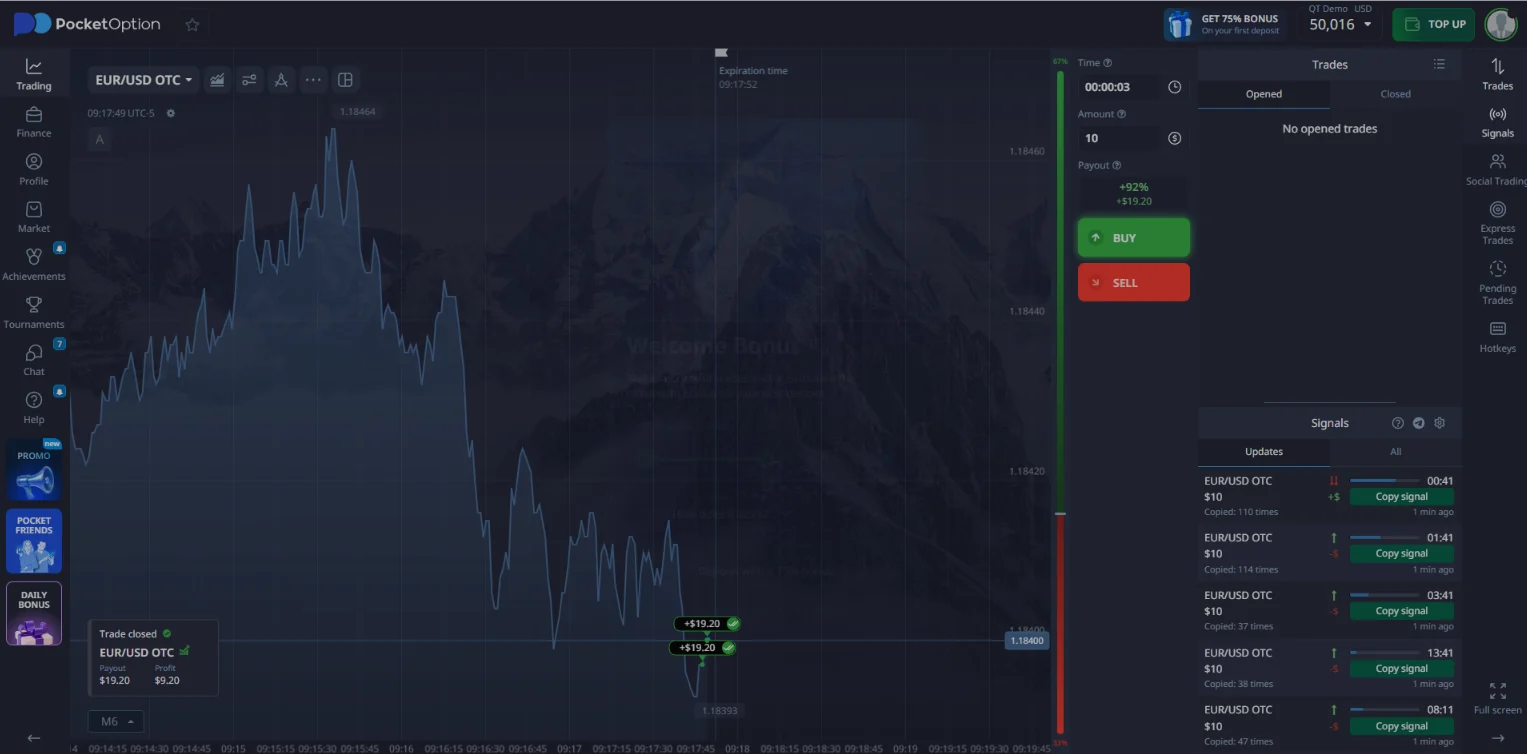
The short-duration terminal in our recorded account was labelled Quick Trading, with a separate QT Demo environment. A trade ticket shows an asset selector, price chart, trade amount, timing control and Buy/Sell buttons. These order buttons submit a contract when used in a real trading account.
To understand the screen, begin with the selected asset and account mode, then check the amount, trade duration or expiry, quoted return and settlement terms. Do not confuse the chart timeframe with the trade duration.
These are observations from specific past screens, not guaranteed live conditions, current minimums or probabilities of winning. Availability depends on product, region and session.
See the QT Demo workflow →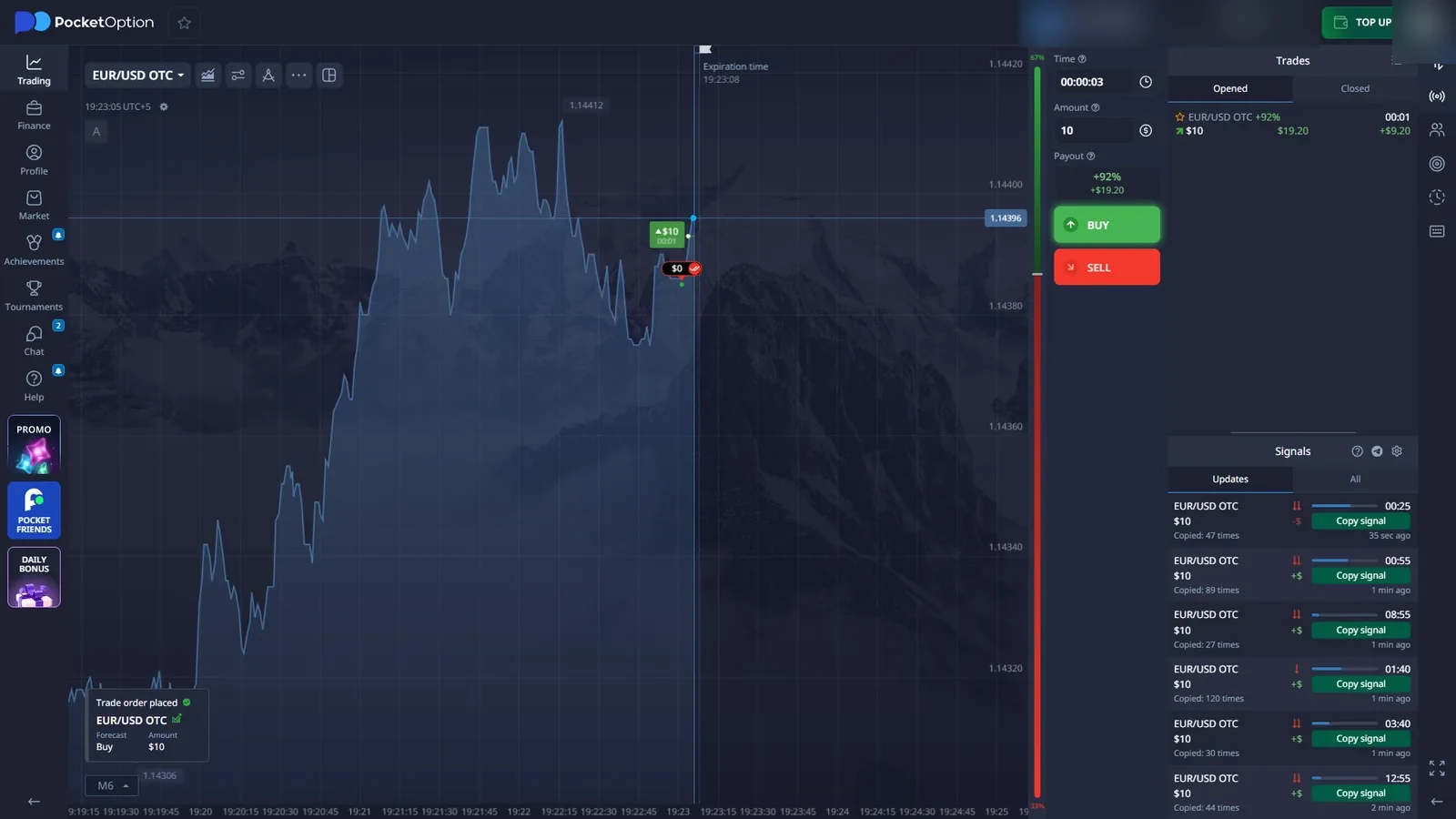
Pocket Option Registration: How to Sign Up
Registration and login are different actions. To create a new Pocket Option account, follow the partner route to the operator's registration flow. BrokerOption does not collect email addresses, passwords, payment information or identity documents.
Use the Pocket Option partner route if the platform is available and permitted in your country.
For email sign-up, enter your email and create a unique password. The operator also documents Google registration as an alternative when available.
Enter XHB014 in the optional promo field if you intend to use it. Read the Public Offer Agreement and tick the acceptance checkbox only if you agree.
Use the Sign Up button, complete any required verification, then confirm Demo versus Real before interacting with trading controls.
- Email * — an address you control
- Password * — a new account password
- Promo code (optional) — XHB014 for the partner offer
- Public Offer Agreement — read and accept to proceed
- Sign Up — submits the registration form
The operator also documents registration using Google. An account created that way may require password setup or recovery before ordinary email-and-password login works. A promotion appearing in the form does not guarantee that a particular account or country qualifies for the bonus.
Create Pocket Option AccountPocket Option Login & Account Access
Existing account? Choose Sign in rather than Sign Up. If you registered with email, enter the registered email address and password on the operator's login form. A Remember me control may also be displayed; use it only on a private device.
- Open the provider's login page through the approved platform route and choose the Sign in action.
- Use the method associated with the account. A Google-created account may need password setup before email/password access.
- If the password is lost, select Password recovery, enter your registered email and follow the reset message from the provider.
- Once signed in, check the account identity and whether the terminal is set to QT Demo or QT Real.
For sign-in failures, verify the account email, check the reset message including the spam folder, and use the operator's account-support process if recovery does not work. Never create a second trading account merely to bypass a login problem.
Never enter a Pocket Option password into BrokerOption or a third-party messaging form. Account support and recovery take place on the provider's platform.
The approved partner CTA is a general platform entry route; it is not presented as a guaranteed deep link to the login form.
- Use your original registration method
- Recover an existing account instead of duplicating it
- Confirm Demo or Real after signing in
- Check account verification and regional access
Pocket Option Demo Account & Guest Access
A practice account lets a visitor explore a trading interface with virtual funds. Our own materials show an earlier guest practice view and a separate logged-in QT Demo workflow. These are not necessarily the same entry route.
Guest demo: a previous test allowed exploration of the interface without a complete account registration. The availability of that entry path may have changed.
Registered demo: the account selector in our captured interface included QT Demo and QT Real. Confirm the selected label and balance before any order interaction; do not assume that the initial view is always practice mode.
The provider has described a virtual practice balance of $50,000 for registered demo access. It is not withdrawable money, a deposit reward or evidence of future trading performance.
- Open the platform through the partner route.
- Look for a guest or demo entry option; do not assume it is offered in every region.
- Confirm the screen uses virtual funds before exploring the controls.
- Create an account or sign in using your existing method.
- Open the account-mode selector and choose QT Demo if available.
- Check the practice balance and trade ticket; switch out of QT Real before trying a virtual order.
Pocket Option Promo Code XHB014 & Deposit Bonus
The partner-provided promotion is a 60% bonus on qualifying deposits of $50 or more with code XHB014. The $50 threshold belongs to this promotion; it is not the general minimum deposit.
Check eligibility, regional restrictions, activation, trading turnover requirements, expiry and withdrawal or bonus-cancellation conditions on the actual operator offer page before depositing. Promotional credit does not reduce the risk of losing a trade.
Open With Code XHB014Pocket Option Trading Tools & Mobile Access
Our captured menus include asset categories, indicators, trading signals and Social Trading. These show what was visible in the account; they do not demonstrate that every feature is available on every device, in every country or without account funding.
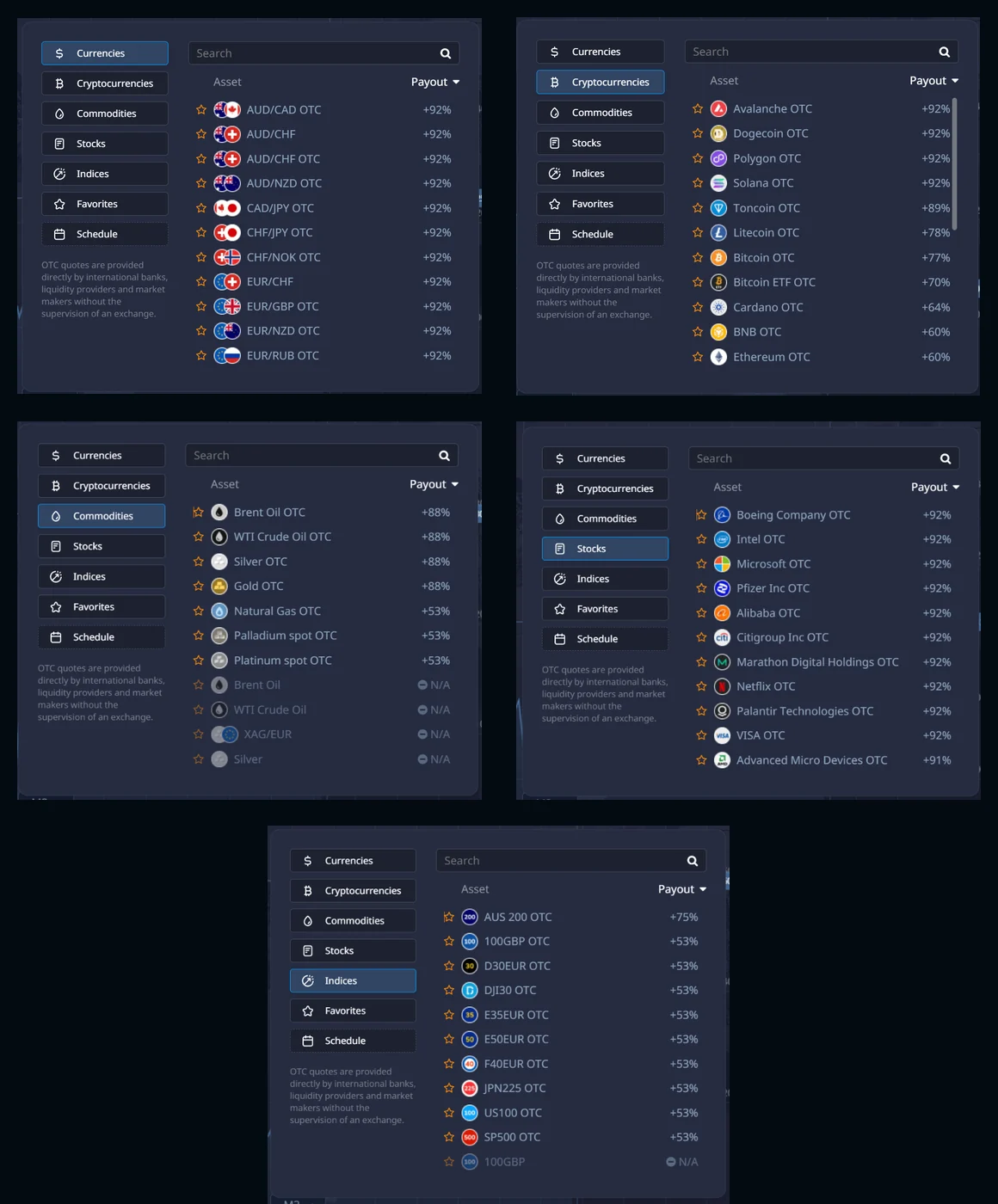
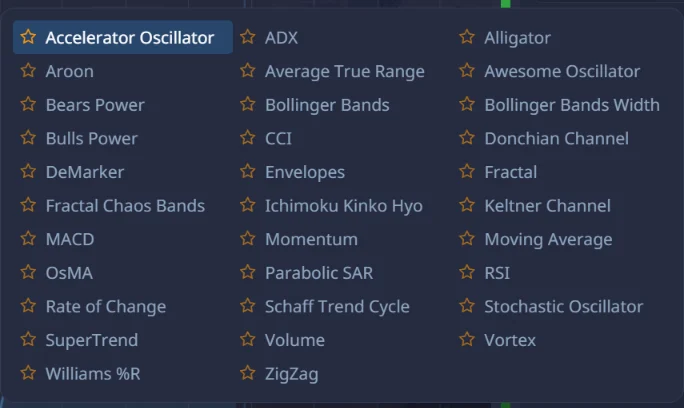
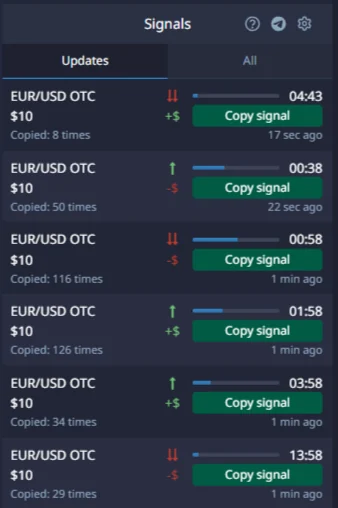
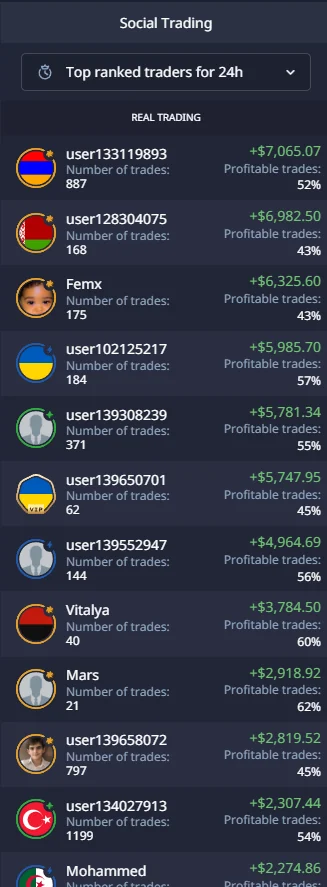
The operator publishes a mobile web experience and Android/app-download options. On a phone, use its own supported access flow, check the selected Demo or Real account and inspect the asset, amount and expiry fields before any trade. Controls may be arranged differently from our desktop captures. We have not verified the current installation routes, app availability or feature parity for every country and device; avoid unofficial APK mirrors and lookalike apps.
The archived account displayed trader profiles, but copying trades into Demo was not available; a later interface source showed copy trading disabled in that context. We did not fund a real account to test it. Indicator labels and historical trader performance do not predict profits.
Pocket Option Deposits, Verification & Withdrawals
Read the current cashier and account rules before considering live use. The minimum trade amount, minimum top-up per payment method, promotional threshold and withdrawal requirements are separate conditions.
Our earlier account's cashier showed a general top-up minimum of $10, while some payment methods had different limits. That is a historical screen observation, not a universal current funding rule. The promotion described above separately requires a qualifying deposit from $50.
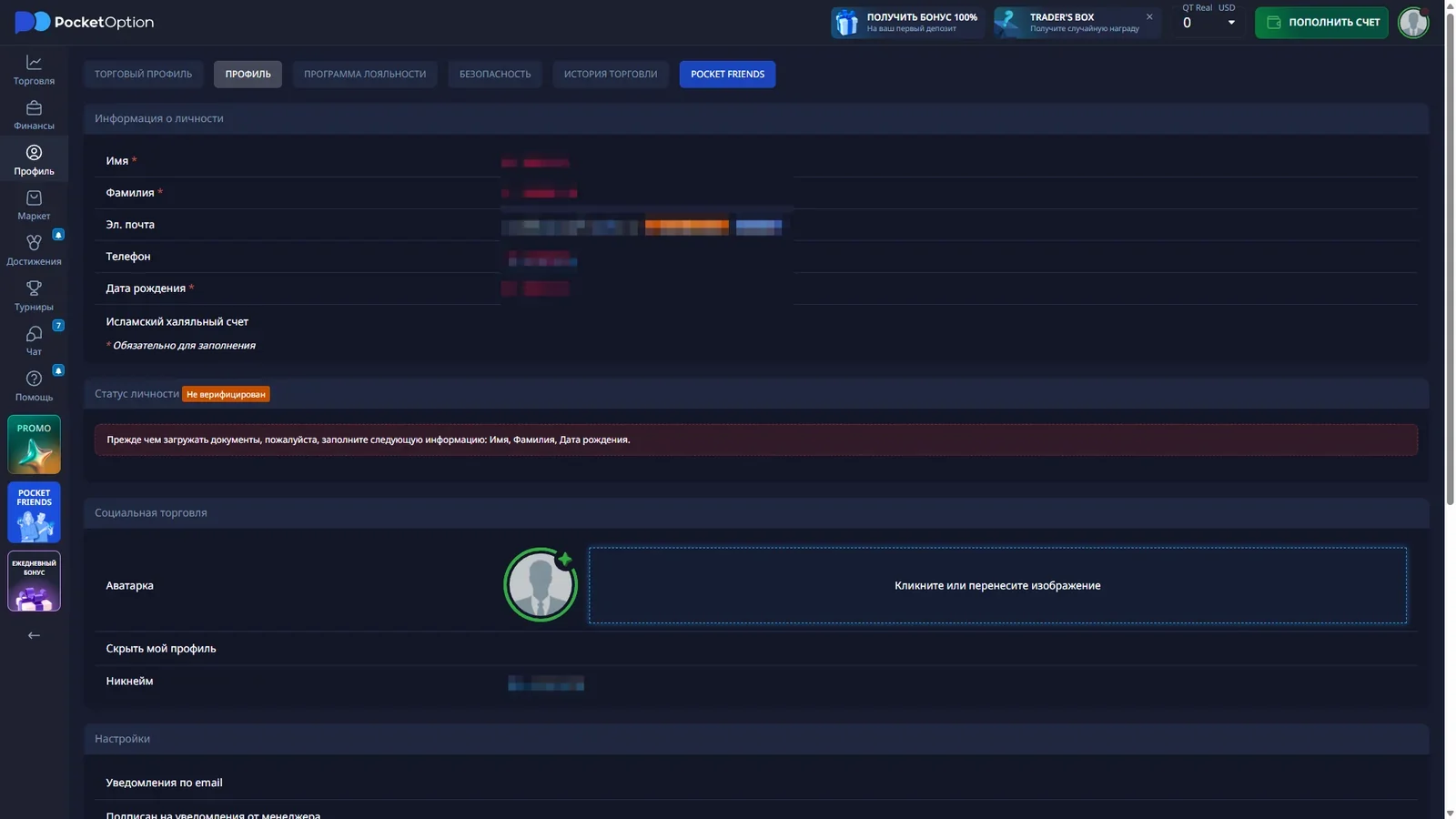
The verification area showed that identity checks were not yet complete. Account requirements may include documents and payment-method checks; send sensitive documents only through the provider's own secure process.
We did not deposit real money or complete a live-money withdrawal. A saved cashier screenshot is not evidence of a successful payout, or proof of current transaction times.
Read what our checks did and did not verify →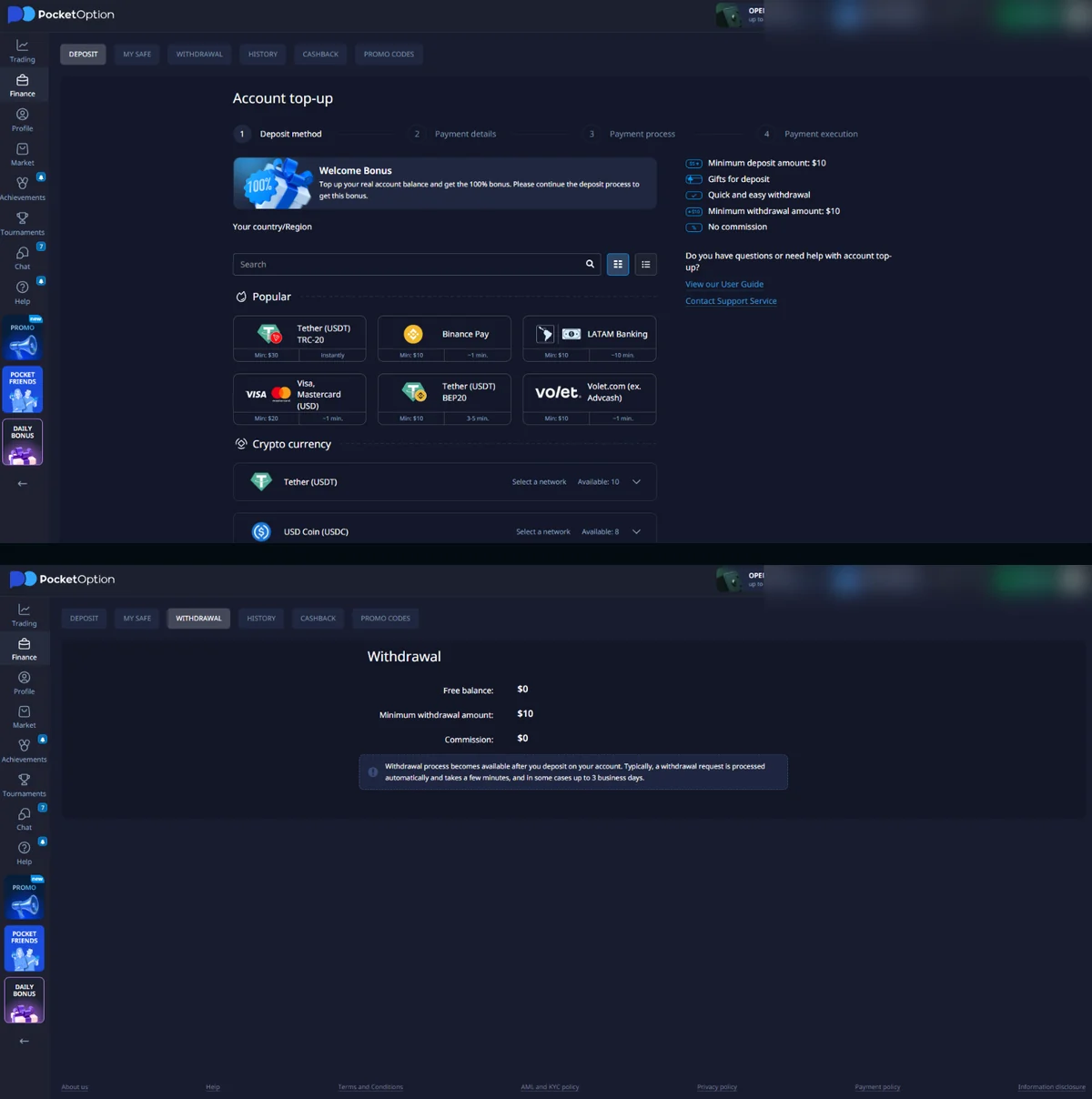
Pocket Option Country Availability & Trading Risks
Pocket Option does not accept every country or customer. The operator's published restrictions have included the United States, Canada, the United Kingdom and EEA member states, among others. The permitted jurisdictions and rules may change, so check the current conditions and any applicable regulatory requirements before creating an account or depositing.
A registration form loading in your browser does not prove the service is lawful where you live. Do not bypass restrictions with VPNs, false country details or another person's identity.
Binary-style contracts can lose the full committed amount when the outcome is unsuccessful. A 92% quoted payout on a screen is not a 92% chance of winning, and demo results or Social Trading histories cannot establish likely future performance.
What We Actually Checked on Pocket Option
Our previous account sessions recorded Quick Trading Real/Demo selectors, the chart and trade ticket, asset menus, technical indicators, signals, the demo history, cashier interfaces, verification status and Social Trading profiles.
Directly observed: interface labels, account switcher, price-chart controls, asset browser, $1 trade-amount field and the specific payout/duration displayed on the captured screens.
Historical, not guaranteed today: the quoted return of 92% on a selected OTC asset, the three-second QT Demo selector, a $10 cashier minimum on one account, and demo access arrangements.
Not tested: real-money order settlement, completed deposits or withdrawals, application of the bonus to a funded account, or live copy-trading profitability.
Visit Pocket OptionObserved — controls and menus visible in our own saved captures.
Documented — account screens and recorded workflows from previous sessions.
Unverified — present-day region eligibility, funding outcomes and performance.
Captured sessions may show different account languages, currencies or dates. Decorative graphics are not presented as original platform screenshots.
Frequently Asked Questions
Is BrokerOption the official Pocket Option website?
No. This is an independent affiliate-supported guide. Account access and trading take place with the platform operator reached from approved partner links.
Can I open Pocket Option Demo without registration?
Our earlier records include a guest practice route, while registered demo access is a separate option. Current guest access can change, so inspect the available route for your region.
How do I register for Pocket Option?
Use the operator's sign-up flow, select an available method, complete the required details and read the terms. BrokerOption does not host accounts or collect credentials.
How do I log in to Pocket Option?
Select Sign in, enter the email and password tied to the account, or choose its original Google sign-in method when available. If you forgot the password, use Password recovery with the registered email. The BrokerOption partner button is not a hosted login form.
What is Pocket Option Quick Trading?
It is the product label shown in our short-duration trading terminal, with asset, amount, time and Buy/Sell controls. Check current ticket rules for each contract.
What is the minimum Pocket Option deposit?
Our older cashier captured a general $10 top-up threshold and different payment-method limits. These are not guaranteed current conditions; the $50 on this page is the separate promo qualification.
How does promo code XHB014 work?
The partner-provided offer is a 60% deposit bonus on qualifying deposits of $50 or more. Check eligibility, turnover and withdrawal conditions before activation.
Can I use Pocket Option on a mobile phone?
The operator lists mobile web and Android options. Features and installation availability may differ by device and region; use the provider's authorised route and check your account mode before trading.
Did BrokerOption confirm successful cash withdrawals?
No. We examined the interface but did not deposit or withdraw real money.